


Blog
How to Clean and Maintain Your Battery Floor Sweeper for Peak Performance

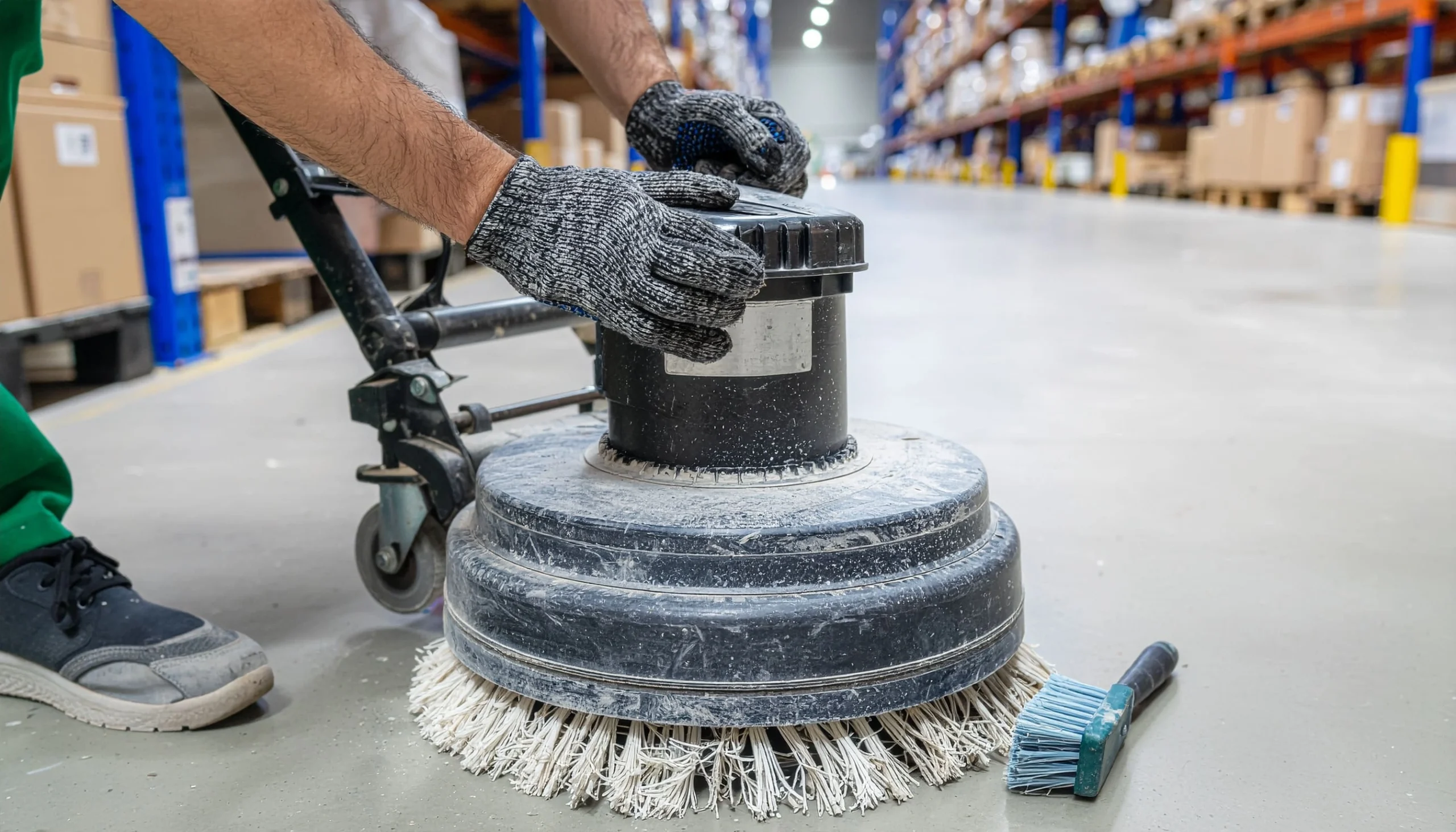
A battery floor sweeper that runs smoothly doesn’t just save time, it prevents the frustration of a machine dying mid-shift or leaving debris trails across a freshly cleaned warehouse floor. These workhorses handle everything from fine dust in retail spaces to heavy grit in industrial facilities, but they will only deliver consistent results if you maintain them properly.
Neglect the basics, and you are looking at reduced runtime, clogged filters, and costly repairs that could have been avoided with 15 minutes of weekly care. The good news? Floor sweeper maintenance isn’t complicated. It is about building simple habits that keep brushes spinning, batteries charging correctly, and debris hoppers emptying before they overflow. But what happens when those simple habits are ignored?
Take Sarah, a facility manager we recently spoke with, who shared a story about a sweeper that lost half its pickup power over just three months. The culprit? A main broom so packed with hair and packaging tape that it barely rotated. One thorough cleaning session restored full performance. That is the reality of these machines; they are forgiving if you stay consistent, but punishing if you ignore the warning signs.
Why Regular Maintenance Matters More Than You Think
Professional-grade battery sweepers aren’t cheap, and running one into the ground through neglect wastes both the initial investment and the productivity it is meant to deliver. Proper battery sweeper upkeep extends machine lifespan by years, not months. A well-cared-for sweeper can handle 5-7 years of daily use; a neglected one might struggle past two.
Performance degradation happens gradually. You won’t notice the pickup rate dropping 5% one week, but six months later, you’re making double passes to clear the same debris. Battery runtime shrinks. Dust escapes the hopper. Suddenly, a 90-minute job takes two hours, and labour costs climb.
Here is what consistent care prevents:
- Battery failure from improper charging or deep discharge cycles
- Motor burnout caused by debris jamming brushes and fans
- Filter saturation that reduces suction and spreads dust
- Brush wear that leaves streaks and misses fine particles
- Structural damage from debris buildup stressing moving parts
Think of it like changing oil in a vehicle. Skip it once, and you might get away with it. Skip it ten times, and you are buying a new engine. The team at Weskleen Supplies consistently advises that small, regular interventions prevent catastrophic failures.
Daily Tasks That Take Five Minutes
The most effective maintenance happens at the end of each shift, when debris patterns are fresh and problems are easy to spot. These aren’t time-consuming rituals, they are quick checks that catch issues before they escalate.
Empty the hopper completely. Don’t wait until it is overflowing. A full hopper reduces airflow, strains the motor, and lets fine dust escape back onto the floor. Dump it after every use, even if it looks half-full. Tap the sides to dislodge packed debris, especially if you are sweeping sawdust or flour-like materials that compact easily.
Inspect the main broom and side brushes. Look for wrapped hair, wire, packaging tape, or string. These materials wind around bristles and axles, reducing rotation speed and pickup efficiency. Pull them off by hand or cut them away with scissors. If bristles are worn down to nubs or splayed outward, schedule a replacement. Worn brushes just push debris around instead of lifting it.
Check battery charge levels. Most modern sweepers have LED indicators or digital displays showing remaining capacity. If you’re consistently running below 20%, you’re shortening battery life through deep discharge cycles. Charge after every shift, even if the battery isn’t fully depleted. Lithium-ion batteries handle partial charges better than lead-acid types.
Wipe down the exterior. Dust and grime accumulate on control panels, handles, and sensors. A damp microfibre cloth, similar to what you would use with an Enduro Microfibre Mop Head, keeps surfaces clean and prevents buildup from interfering with buttons or touchscreens.
Scan for damage. Cracked wheels, loose bolts, frayed cables, or torn dust skirts all compromise performance. Spotting a worn wheel early means replacing it on your schedule, not during a breakdown in the middle of a cleaning contract. These five-minute checks compound. Do them daily, and your sweeper runs reliably for years.
Weekly Deep Cleaning: Filters, Brushes, and Hidden Debris
Once a week, dedicate 20-30 minutes to tasks that don’t need daily attention but cannot be ignored indefinitely. This is where you address the components that accumulate debris slowly but impact performance significantly.
Servicing Filters and Dust Systems
Clean or replace filters. Filters trap fine dust that brushes and hoppers miss. When they clog, suction drops and dust escapes into the air. Most sweepers use foam or pleated paper filters, so check your manual to confirm. Foam filters can be tapped out, rinsed with water, and air-dried. Paper filters should be tapped against a hard surface to dislodge dust; replace them when tapping no longer restores airflow.
A café owner we work with runs a sweeper across tile floors covered in coffee grounds and sugar. She cleans the filter every three days because fine particles clog it faster than coarse debris. Know your environment, as high-dust settings demand more frequent filter care.
Inspect the dust skirt and seals. The rubber or brush skirt around the broom chamber contains debris and directs it into the hopper. Tears or gaps let dust escape, reducing pickup efficiency. Replace damaged skirts immediately, as they are inexpensive and critical to performance.
Check the hopper filter and shaker mechanism. Some models have a secondary filter inside the hopper that prevents fine dust from reaching the main filter. If yours has one, clean it weekly. The shaker mechanism (manual or automatic) keeps this filter clear during operation; make sure it is functioning properly.
Maintaining Brooms and Wheels
Remove and clean the main broom. Most brooms slide out after loosening a few clips or bolts. Once removed, use a stiff brush or compressed air to clear packed debris from bristles and the core. Check the bearings for smooth rotation. If they’re gritty or stiff, apply a light machine oil. Reinstall the broom, ensuring it is seated correctly and spins freely.
Clean debris from wheels and axles. Hair, string, and tape wrap around wheel axles, creating drag and uneven movement. Flip the sweeper (if safe) or tilt it to access the wheels. Cut away wrapped debris and wipe axles clean.
Monthly Maintenance: Batteries, Belts, and Component Checks
Monthly floor sweeper maintenance tasks go deeper, addressing components that wear slowly or require periodic adjustment. Block out an hour for this session because it is worth it.
Deep Battery and Electrical Checks
Battery maintenance varies by type. Lead-acid batteries need water level checks; add distilled water if cells are low, but don’t overfill. Clean terminals with a wire brush to remove corrosion, which impedes charging. Lithium-ion batteries require less hands-on care but benefit from occasional full discharge and recharge cycles to recalibrate capacity indicators. Always follow manufacturer guidelines, as improper battery care voids warranties and shortens lifespan.
Test safety features. Emergency stops, blade disengagement switches, and tilt sensors should all function correctly. Test them monthly to ensure they will work when needed.
Mechanical and Drivetrain Inspection
Inspect drive belts and pulleys. If your sweeper uses belts to drive brushes or wheels, check for cracks, fraying, or glazing (shiny, hardened surfaces). Adjust tension if belts are loose. Too much slack causes slippage, while too much tension stresses bearings. Replace worn belts before they snap mid-shift.
Lubricate moving parts. Bearings, axles, and pivot points need occasional lubrication to reduce friction and wear. Use the lubricant type specified in your manual. Some parts need grease, others need light oil. Avoid over-lubricating, which attracts dust and creates gummy buildup.
Review brush height settings. Brushes wear down over time, reducing contact with the floor. Most sweepers let you adjust brush height to maintain proper pressure. Too high, and you miss debris; too low, and you wear bristles prematurely. Adjust according to wear, aiming for light, consistent contact.
Troubleshooting Common Performance Issues
Even with diligent maintenance, you will occasionally encounter problems. Here is how to diagnose and fix the most common ones.
Reduced pickup or debris left behind: Check the main broom for wear, the hopper for fullness, and the filter for clogs. Verify brush height settings. If side brushes aren’t spinning, inspect for wrapped debris or drive belt issues.
Shorter battery runtime: Batteries degrade over time, but sudden drops often indicate charging problems. Ensure the charger is functioning and connections are clean. If the battery is old (3-5 years for lead-acid, 5-7 for lithium-ion), replacement might be necessary.
Excessive dust in the air: This points to filter saturation, torn dust skirts, or hopper leaks. Clean or replace filters, inspect seals, and check for cracks in the hopper.
Unusual noises: Grinding, squealing, or rattling sounds signal mechanical issues. Grinding often means debris in the broom chamber; squealing suggests belt slippage; rattling indicates loose components. Stop the machine and investigate immediately. Running it with mechanical problems causes further damage.
Machine won’t start: Check battery charge, connections, and safety interlocks. Many sweepers won’t start if the hopper isn’t seated correctly or emergency stops are engaged.
Storing Your Sweeper for Long-Term Reliability
Proper storage between shifts, and especially during extended downtime, protects your investment. Don’t just park the sweeper in a corner and forget it.
Store in a dry, climate-controlled area. Humidity corrodes electrical components and promotes mould growth in filters. Extreme temperatures degrade batteries. A clean, dry storage room is ideal.
Charge batteries before storage. Never store a sweeper with a fully depleted battery, as it damages cells and reduces capacity. Charge to 50-80% for short-term storage (days to weeks) and maintain a trickle charge for long-term storage (months).
Empty the hopper and clean filters. Leaving debris in the hopper invites pests and odours. Damp debris can corrode metal components. Clean everything before storage.
Cover the machine. A breathable cover protects against dust accumulation without trapping moisture. Avoid plastic tarps, which can trap condensation.
Elevate if possible. Storing the sweeper on a pallet or shelf prevents wheel flat-spotting during long periods of inactivity. If sourcing commercial cleaning supplies perth for your facility, ensure you also stock appropriate storage covers.
When to Call for Professional Service
You can handle most battery sweeper upkeep tasks in-house, but some situations require professional expertise. Recognise when to escalate.
Battery replacement: While straightforward, battery work involves electrical safety and proper disposal of hazardous materials. If you’re uncomfortable handling batteries, let a technician do it.
Motor or electrical issues: Diagnosing and repairing motors, wiring, or control boards requires specialised knowledge and tools. Attempting DIY repairs can void warranties and create safety hazards.
Structural damage: Cracked frames, bent axles, or broken mounts need professional assessment. Makeshift fixes often fail under operational stress, creating a need for heavy-duty floor scrubbers in perth to clean up resulting leaks or debris scattering.
Annual inspections: Even if your sweeper runs perfectly, an annual professional inspection catches wear patterns and potential failures before they become emergencies. It is like a health check-up, preventive, not reactive.
Building a Maintenance Schedule That Sticks
Knowing what to do is one thing; actually doing it is another. Build a schedule that is realistic and enforceable.
Assign responsibility. Designate specific people to handle daily, weekly, and monthly battery sweeper upkeep tasks. When everyone assumes someone else will do it, nothing gets done.
Use checklists. Laminated checklists mounted near the sweeper’s storage area turn vague intentions into concrete actions. Tick boxes as tasks are completed.
Set calendar reminders. Weekly and monthly tasks are easy to forget. Digital reminders ensure they happen on schedule.
Track performance metrics. Log battery runtime, pickup efficiency, and filter condition. Trends reveal when components need replacement before they fail completely.
Stock spare parts. Keep common wear items, like filters, brushes, and belts on hand. Waiting for parts to arrive extends downtime and disrupts cleaning schedules. Reputable suppliers of commercial cleaning supplies stock a comprehensive range of maintenance components for professional sweepers.
The Real Cost of Skipping Maintenance
It is tempting to skip floor sweeper maintenance tasks when you’re busy, but the consequences add up quickly. A $30 filter replacement avoided today becomes a $500 motor repair tomorrow. A 10-minute brush cleaning deferred for weeks turns into an hour-long emergency fix.
We’ve seen facilities replace sweepers every two years because they ran them into the ground through neglect. That is a $3,000-$5,000 expense every 24 months, when proper care could have stretched the machine to six or seven years. The math is brutal: a few hours of annual maintenance saves thousands in replacement costs for essential commercial cleaning supplies perth.
Beyond finances, there is productivity. A sweeper that breaks down mid-shift forces manual cleaning with commercial dust control fringe mops and squeegees, which takes three times as long and delivers inferior results. Clients notice. Contracts get lost. Reputations suffer. Maintenance isn’t a cost, it is an investment in reliability, performance, and professionalism.
Conclusion
Battery floor sweepers are built to handle demanding environments, but they’re not indestructible. Daily hopper emptying, brush checks, and battery monitoring take five minutes. Weekly filter cleaning and deep inspections require half an hour. Monthly component checks and lubrication need an hour. That is roughly 90 minutes per month to protect a multi-thousand-dollar asset and ensure it performs at peak capacity.
The alternative, reactive repairs, shortened lifespan, and unreliable performance, costs far more in time, money, and frustration. Build the habits now, and your sweeper will deliver years of consistent, professional results. Neglect them, and you will be shopping for a replacement far sooner than necessary.
If you are ready to invest in professional-grade commercial cleaning supplies backed by expert support, contact us on 1800 728 926 to discuss your facility’s specific needs. Proper maintenance starts with the right machine, and Weskleen Supplies will help you find it.