


Blog
How to Sanitise Shared Workstations Properly

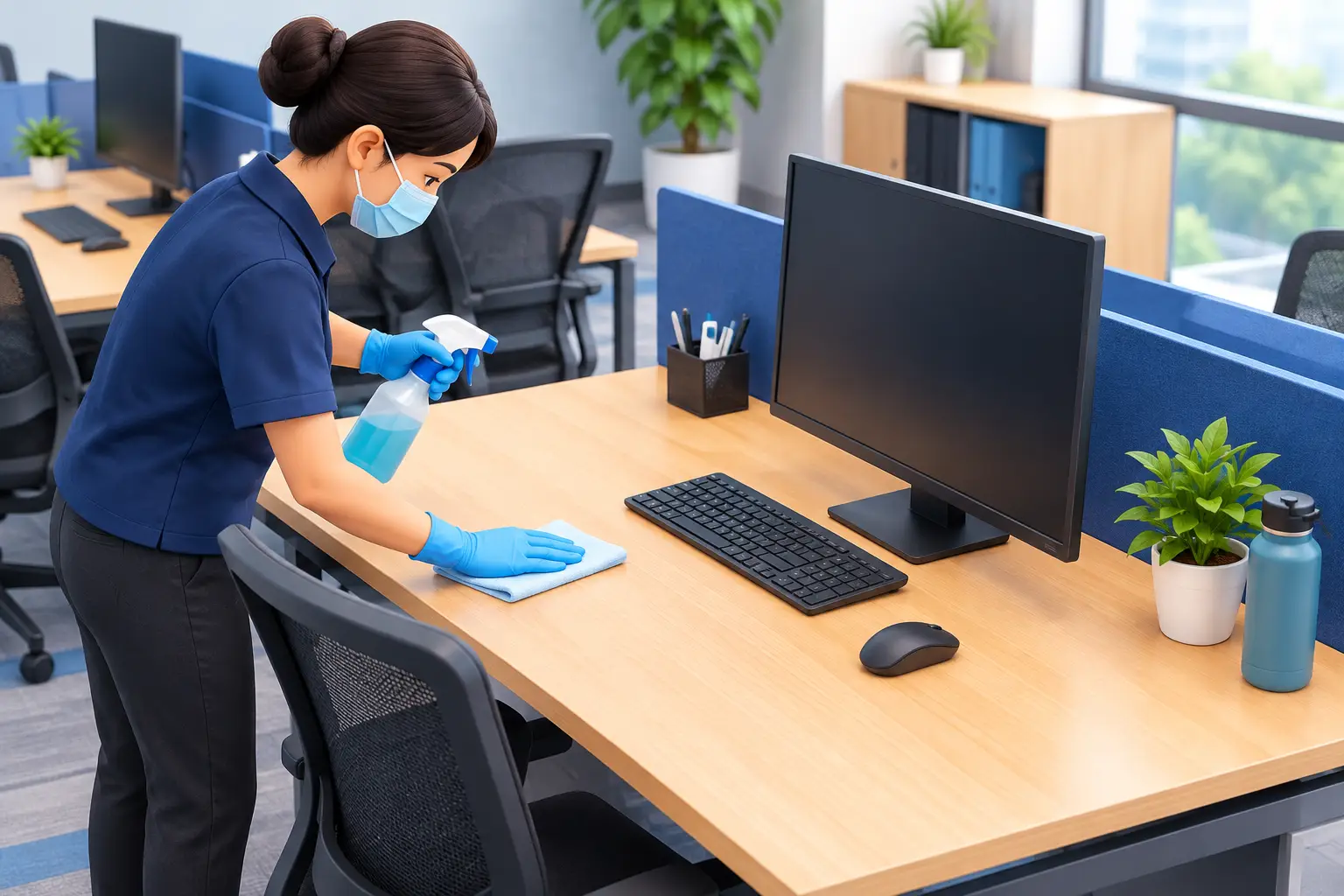
A hot desk that looks tidy can still be one of the highest-touch areas in a workplace. Keyboards, mice, phones, desk surfaces, chair arms and docking stations move from person to person, often without a clear cleaning routine between users. Knowing how to sanitise shared workstations properly helps facilities teams reduce hygiene risks without damaging expensive equipment or slowing down the working day.
For Perth offices, workshops, reception areas, training rooms and shared site facilities, the best approach is simple: clean visible soil first, use the right sanitising or disinfecting product for the surface, and give it enough contact time to work. The details matter, particularly around electronics and products that can leave residue.
Start with the difference between cleaning and sanitising
Cleaning removes dust, crumbs, fingerprints, grease and other visible soil. Sanitising reduces microorganisms on a surface to a safer level, while disinfecting is generally intended to kill or inactivate a broader range of germs. The product label will tell you what it is designed to do and where it can be used.
This distinction matters because sanitiser or disinfectant cannot work as intended through a layer of grime. If a workstation is visibly dirty, wipe it down first with a suitable neutral cleaner and a clean microfibre cloth. Follow with the sanitising or disinfecting step where required.
For routine shared desks, cleaning and sanitising at the end of each shift, or between users where practical, is usually a sensible baseline. In higher-traffic areas such as reception counters, call centres, training rooms and lunchroom computer stations, high-touch points may need attention more often.
Map the touch points before choosing products
A workstation is more than the desktop. The areas people touch repeatedly are the ones that should drive your routine. This includes the keyboard, mouse, telephone handset or headset controls, monitor buttons, laptop exterior, docking station, desk edge, drawer handles, chair arms, light switches and shared stationery holders.
Do not overlook nearby surfaces. Printer touchscreens, scanner buttons, meeting-room remotes and EFTPOS terminals can pass through dozens of hands in a day. Treat these as separate high-touch items in the cleaning schedule rather than assuming the general desk wipe covers them.
The right product depends on the material. Laminated desks, sealed timber-look surfaces, metal and hard plastic are usually straightforward, provided the label confirms suitability. Screens, keyboards and other electronics need more care. Excess liquid can enter gaps, affect coatings or damage components, so avoid spraying directly onto devices.
How to sanitise shared workstations step by step
Begin by asking the user to clear food, paperwork and personal items from the desk. This makes the surface accessible and avoids wetting documents, cables or belongings. Put on appropriate gloves if your site procedure or product label calls for them, then ensure the area has suitable ventilation.
First, remove rubbish and loose debris. A dry microfibre cloth, duster or vacuum attachment can lift dust from keyboards and around monitor stands without spreading it across the desk. Where a keyboard has heavy debris between keys, turn it off or disconnect it and use compressed air only if suitable for the equipment and your workplace process.
Next, clean the desk surface with a clean cloth and an appropriate general-purpose cleaner. Use enough solution to lift soil, but do not flood the surface. Change cloths when they become dirty. Reusing one cloth across multiple desks without changing or laundering it can transfer soil from one workstation to the next.
Once the surface is clean, apply your sanitiser or disinfectant according to its label directions. For hard surfaces, this often means spraying onto a cloth or pre-moistened wipe, then wiping the surface so it remains wet for the stated contact time. A quick spray-and-immediate-wipe approach may look efficient, but it can reduce the product’s effectiveness.
For keyboards, mice, phones and monitor controls, lightly dampen a lint-free microfibre cloth or use a suitable electronics-safe wipe. Never spray chemical directly onto the device. Wipe gently around keys and buttons, taking care not to force moisture into openings. Screen cleaners should be selected specifically for screens, especially where anti-glare or other protective coatings are present.
Allow surfaces to air dry where the label instructs it. If a product requires rinsing on a food-contact surface, follow that direction. Workstations are not normally food-preparation areas, but staff do eat at desks, so a clear no-food-at-workstation policy or regular desk cleaning helps keep the process more manageable.
Build a routine that staff will actually follow
The most effective procedure is one that suits the way your workplace operates. A small office with assigned desks may only need a daily clean and a simple wipe-down kit for staff. A hot-desking environment, shared control room or training facility may need a reset between users, with supplies located at each workstation or nearby cleaning point.
Give staff a clear, short instruction: clear the desk, clean visible dirt, sanitise high-touch points, and allow the surface to dry. If cleaners complete the main daily service, staff can still be responsible for wiping shared equipment before or after use. That shared responsibility keeps hygiene standards consistent without placing the whole burden on one team.
Place products where they are easy to access but safely stored. A well-stocked cleaning station might include labelled spray bottles, surface wipes, microfibre cloths, gloves, rubbish bags and signage explaining the contact time. Keep chemicals in their original labelled containers where possible, and never decant products into unlabelled bottles.
For larger sites, colour-coded cloths can help separate desk cleaning from washroom, kitchen and floor tasks. This is a simple control that reduces cross-contamination and makes training easier for new cleaners and contractors.
Choose products for safety, speed and surface compatibility
There is no single chemical that is best for every workstation. Alcohol-based wipes can be convenient for many hard, non-porous touch points and electronic exteriors, but they may not suit every screen or finish. Quaternary ammonium-based disinfectants can be useful on compatible hard surfaces, while neutral cleaners are often the sensible first step for removing everyday soil.
Always check the product label, safety data information and equipment manufacturer guidance. This is particularly relevant for touchscreens, laptops, medical or specialised industrial equipment, and surfaces with coatings that may be affected by frequent chemical use. Stronger is not always better. An unsuitable product can cause clouding, sticky residue, corrosion or premature wear.
The practical trade-off is between speed and thoroughness. Pre-moistened wipes are convenient for quick user-led cleaning, but they can become expensive in busy facilities and may dry out if the pack is left open. Concentrated chemicals can offer better value for professional cleaning teams, but they need correct dilution, labelled bottles and staff training. WesKleen Supplies can help Perth businesses match cleaning chemicals, wipes, cloths and consumables to the surfaces and workload at hand.
Common mistakes that undermine workstation hygiene
The biggest mistake is sanitising a dirty desk without cleaning it first. The next is failing to observe contact time. If the surface is wiped dry straight away, the product may not deliver the result stated on its label.
Another common issue is using the same cloth on every desk, phone and shared kitchen surface. Set a clear laundering or replacement process for reusable microfibre cloths, and dispose of single-use wipes after one task. A clean-looking cloth is not necessarily a clean cloth.
Finally, avoid relying on fragrance as proof of cleanliness. Air fresheners can improve the feel of a workplace, but they do not replace cleaning, sanitising or regular rubbish removal. Good hygiene comes from a consistent process, appropriate products and staff who know why each step is there.
A shared workstation routine does not need to be complicated. Stock the right supplies, make the process visible, and review it when layouts, staffing or hygiene requirements change. When the products are easy to use and always on hand, keeping every desk ready for the next person becomes part of the working day rather than a last-minute scramble.